
What Llyr does
Llyr turns a phone video of your swimming into specific technique feedback, drawn on your own body so you can see it.
Film from the pool deck
Stand your phone on the deck, side-on to the lane, and film a length. Nobody needs to hold it, and Llyr keeps the screen awake for the whole set.
Already have video? Import a clip from your gallery, trim it to the part you want, and tap Analyze.
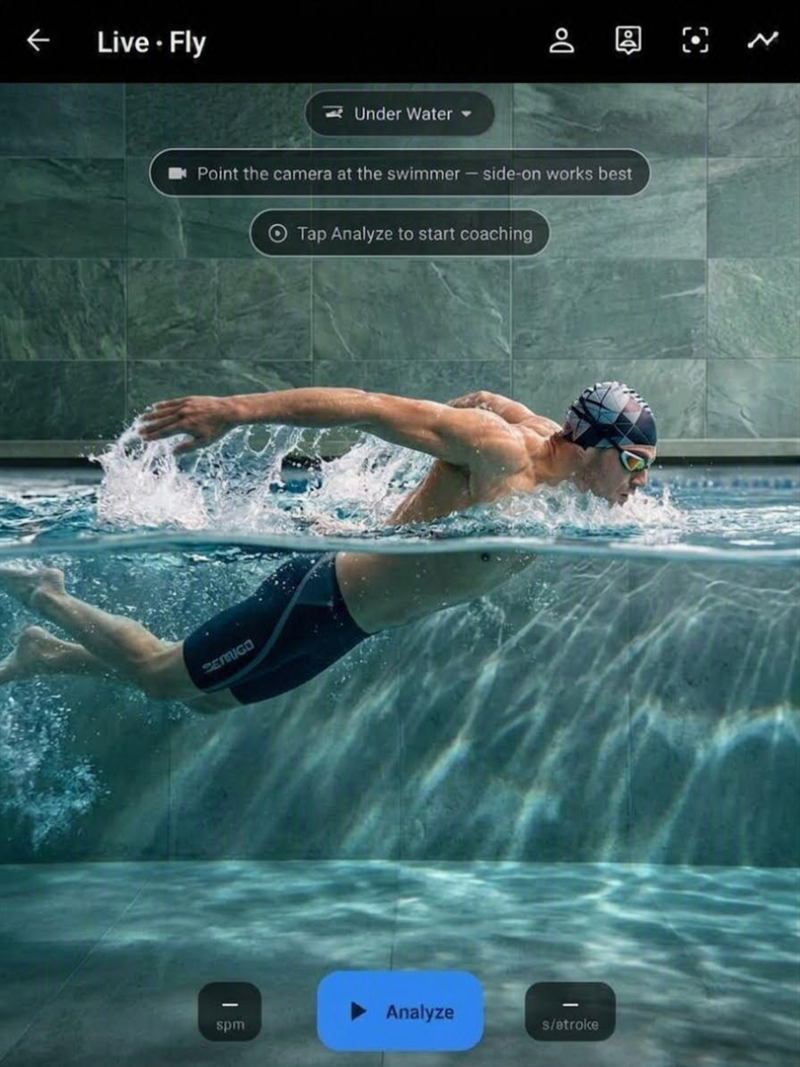
Your whole body, analysed
Llyr tracks your head, shoulders, arms, hands, torso, hips, thighs, knees, ankles and toes through the stroke and draws them over your video.
What it checks
Head
Position and steadiness
Torso
Body roll, body line and undulation
Hips
Hip height in the water
Arms
Elbow in the catch, arm path, left and right symmetry
Hands
Hand angle in the catch and hand entry
Legs
Knee bend in the kick, kick width and kick timing
Feet
Pointed toes through the kick
A watch can count laps and strokes, but it can't see what your body is doing in the water. A camera can.
Get your top corrections
Each one comes with a short cue you can remember mid-set and a still from your own swim showing where it happened.
Seen more than once
Llyr only flags a fault once it has seen it more than once, so one odd stroke won't set it off.
Up to five
You get up to five corrections, ordered so the one worth working on first comes first.
No scores
There are no scores or grades, just the things worth working on.
Sees through the water
Filming from the deck, the water surface bends light and makes everything underwater look shallower than it is. Llyr corrects for that before it measures anything.
When splash or bubbles hide a joint for a moment, Llyr estimates it from the frames around it and your limb lengths, and draws it dashed.
If Llyr can't see you well enough to judge, it tells you, rather than letting a quiet session look like a clean stroke.
All four strokes
Freestyle, backstroke, breaststroke and butterfly. Film from the side, the front or behind, above the water or under it in a waterproof housing.
Llyr works out the camera angle and adjusts what it checks.
Built for your body
Every swimmer is built differently. A correction means most when you can see it on your own body, so that is where Llyr draws it.
On your joints
Each correction is drawn on your own joints, in your own video, not on a diagram of someone else.
From your swimming
A fault is flagged only once it repeats in your own stroke, and a hidden joint is estimated from your own limb lengths.
Against your own history
Progress is measured against your own earlier sessions. Llyr never ranks you against another swimmer.
Why not draw it yourself?
A free video editor with a pen tool is a fine place to start. Here is what changes when Llyr does the first look.
Finding the joints
You pause the clip and guess where the elbow is.
Llyr looks for your joints, head to toes, across the length, and marks the ones it can see.
Through the water
From the deck, an underwater arm looks higher than it really is.
Llyr corrects for the bend of light at the surface before it measures.
One moment or a habit
One paused frame can show a stroke you never swim again.
Llyr flags a fault only once it has seen it more than once.
What to look for
You need to know which fault to hunt for before you draw.
Llyr checks the whole body and gives each correction a short cue.
When it can't see
A line you draw looks just as sure over splash as over skin.
Llyr hatches what the water hides and tells you when it can't judge.
Your time
Every clip is another session of pausing, scrubbing and drawing.
Film a length, tap Analyze, and read what repeated.
Drawing on video with your coach is still worth doing. Llyr gives you both something specific to look at first.
Private by default
No account and no sign-up. Your video is processed on your phone and isn't uploaded to us.
Your sessions, stills and measurements are kept in the app, and you can delete all of them from inside the app at any time.
The privacy policy has the details.
What Llyr doesn't claim
One phone camera measures body position, but not force, drag or propulsion, so Llyr doesn't pretend to.
It never makes claims about injury or injury risk.
Works alongside your coach
Llyr is a second set of eyes, not a coach and not medical advice. Everything it shows you comes from your own video, so you can check it yourself.
If Llyr and your coach disagree, go with your coach. They know your events, your training and your history.
See your own stroke, head to toes.